 REFRAXA
REFRAXA
REFRAXA

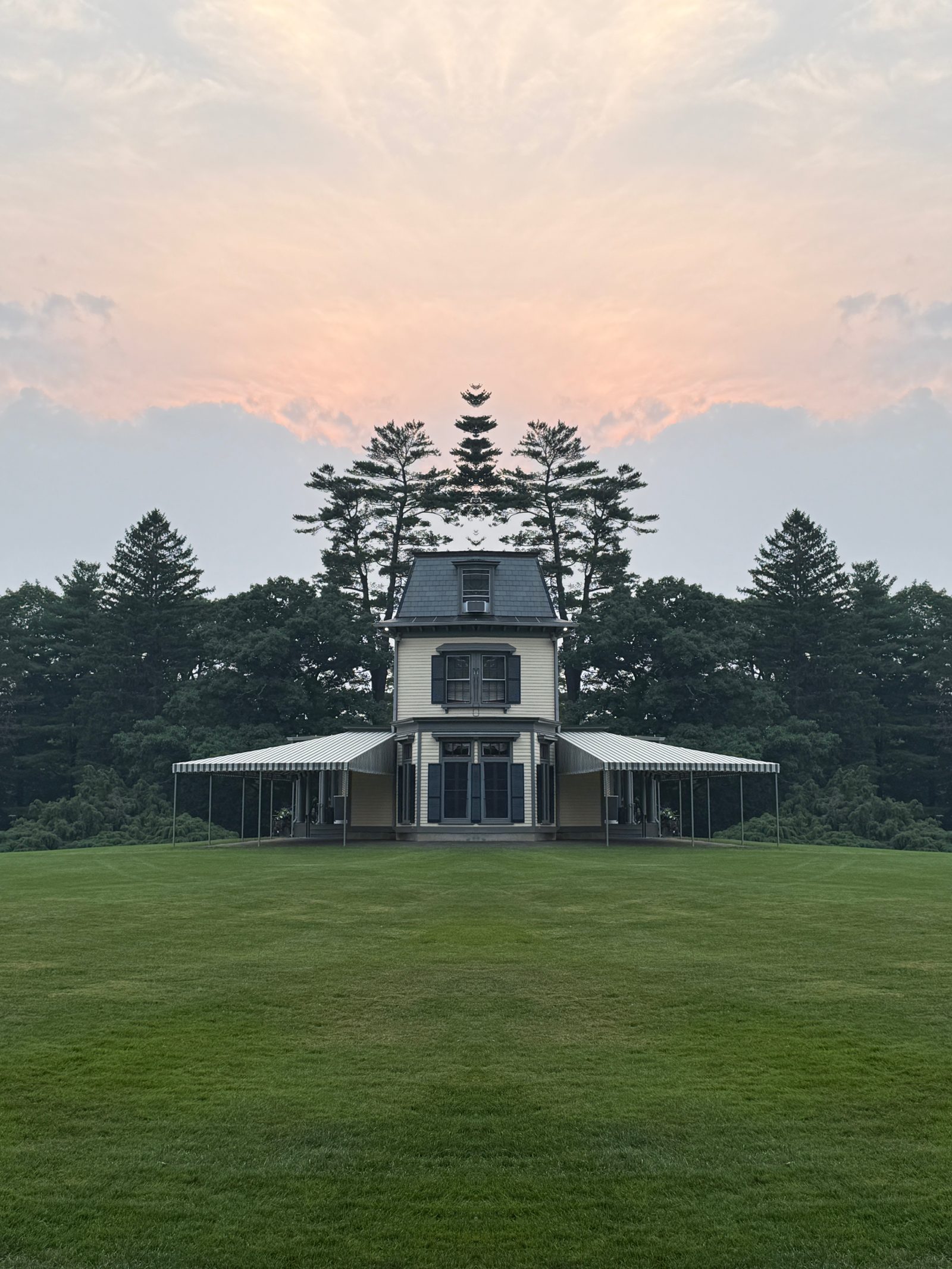
Real exports from the in-app gallery — nothing staged, nothing retouched. Each frame is an ordinary photo and a single fold. Hover — or touch — any image to see the original.
Every export is archived next to its untouched original, inside the app.
Video
Import any clip from your library and REFRAXA re-folds it frame by frame — no length cap. Or record mirrored video with sound, straight from the live camera.
MIRROR ◂ · RECORDED IN-APP
Every effect is deterministic geometry — mirrors, folds, symmetry — rendered on your iPhone's GPU. Nothing is generated, nothing is invented. Every pixel in the frame comes from your photo, and only your photo.
No account, no upload, no server. REFRAXA can only add to your photo library — it never reads it — and nothing you shoot leaves your phone unless you choose to share it. Your photos are never used to train anything.
Bring in any photo and flip between all seventeen folds live — real geometry, rendered as you watch. What you see is exactly what you save.
Every export lands in an in-app gallery beside the untouched original. Flip between them any time.
Free: 5 saves a week. Pro: $9.99 once — unlimited clean exports, no watermark. Prefer to try it first? 3 days free, then $1.99 a week, cancel any time.
REFRAXA turns any photo or video into mirrored, kaleidoscopic art. Pick from 17 reflection styles — mirrors, wedges, kaleidoscopes — and it folds the image into symmetry on your iPhone. The live camera shows the same effect right in the viewfinder before you shoot.
Yes. Free accounts get 5 saves a week, watermarked. Pro removes the limit and the watermark: a one-time $9.99 unlock, or $1.99 a week with a 3-day free trial.
No. Every effect is deterministic geometry — mirrors and folds rendered on your iPhone's GPU. Nothing is generated or invented; every pixel in the result comes from your own photo.
No. REFRAXA has no account and no upload — it works entirely on-device and can only add to your photo library, never read from it. Your photos aren't sent anywhere unless you choose to share an export yourself.
Yes. Import any video from your library and REFRAXA re-folds it frame by frame with no length cap, or record mirrored video with sound directly from the live camera.
Yes. Every export is archived in an in-app gallery right next to its untouched original, so you can flip back and forth any time.
Not currently — REFRAXA is built for iPhone only.